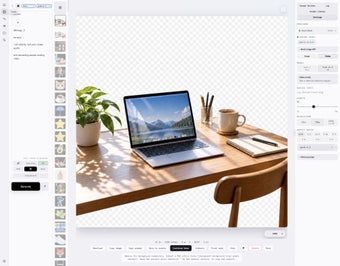
Local-first visual studio for reproducible image and motion workflows
ima2-gen, created by Lidge Jun, is a local-first visual generation runtime and studio for images and motion content, aimed at designers, developers, and AI enthusiasts. The tool generates and edits visuals through a unified CLI and web UI, with branching workflows and canvas-based editing. It supports multiple provider backends and agent integration, offering node-style reproducibility, storyboard exports, and raster-to-vector conversion for users who need controlled, repeatable creative outputs.
What tasks can you actually use it for?
ima2-gen is a local runtime and studio that generates, edits, and manages visual assets, covering still images and motion projects. The app offers a Classic mode for history-based edits, a node-oriented mode to branch variations, and a canvas mode for cleanup, transparency, and annotations. Supported backends include OpenAI, Grok, Gemini API, MiniMax, NovelAI, and local ComfyUI instances, which lets users pick the processing model that suits each job.
How controllable and reproducible are its outputs?
The tool preserves reproducibility by recording branching decisions and history, enabling repeatable variations from a single seed. It also exports storyboard frames and converts raster work into SVG for vector-based direction, which helps when moving from draft to production. Video controls expose duration and resolution settings per provider, so fidelity depends on chosen backend and source material rather than a single internal model.
Does it fit into developer and agent workflows?
ima2-gen integrates with AI coding agents through the Model Context Protocol and ships packaged MCP skills in Markdown form for automated pipelines. Installation requires Node.js (v18+) and supports npm global install, CLI commands, a web studio on port 3333, and Docker deployment. Dual authentication is available via OAuth or API keys, which gives teams a choice between interactive agent sessions and key-based automation.
Best suited to technically minded creatives who need reproducible pipelines
The app suits technical creatives and teams that require repeatable generation and programmatic control, since it records branching history and connects with agent workflows. Expect a configuration and learning phase for users unfamiliar with CLI tooling and agent packaging, but the design favors scripted pipelines and detailed handoffs rather than a casual point-and-click generator.